

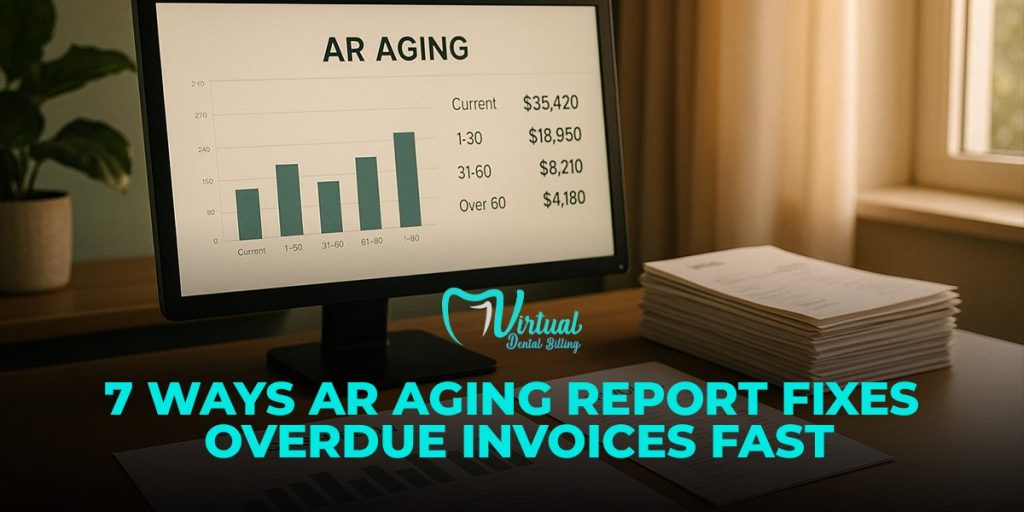
Late invoices slow cash flow. They also put pressure on payroll, vendor payments, and daily business costs. This is why an AR aging report matters.
Your accounts receivable aging report shows which customers owe money, how long each invoice has stayed unpaid, and which balances need follow-up first. It turns a long list of open invoices into clear aging brackets, such as current, 1 to 30 days, 31 to 60 days, 61 to 90 days, and 90 plus days.
That simple view helps your team act faster. Instead of chasing every customer the same way, your billing team sees which overdue invoices need quick action. Then they send reminders, check payment issues, fix claim delays, and reduce collection risk.
CFOs review accounts receivable aging because cash flow depends on timing. Revenue on paper does not pay bills. Collected cash does. So, when an aged receivables report shows old balances rising, finance leaders know the collection process needs attention.
This guide explains how an A/R aging report helps fix overdue invoices fast. You’ll also learn what an AR report shows, why aging matters, and how each aging bracket guides the next collection step.
What Is an AR Aging Report?
AR aging is the process of reviewing unpaid balances based on how long they have remained open. It helps a business see which invoices still sit within normal payment terms and which balances now need collection action.
So, what is an aging report in accounts receivable?
It is a structured AR report that breaks unpaid invoices into time-based groups. These groups help finance teams, billing managers, and practice owners measure collection risk with more accuracy.
Most AR aging reports use standard aging buckets, such as:
- Current
- 1 to 30 days past due
- 31 to 60 days past due
- 61 to 90 days past due
- Over 90 days past due
Each group is called an aging bracket. The older the bracket, the higher the collection risk.
For example, an invoice in the 1 to 30 day bracket may only need a reminder. Yet a balance over 90 days may point to a payer delay, claim denial, posting error, patient dispute, or weak follow-up process.
What Is AR Aging Used For?
AR aging helps your team understand payment behavior, collection timing, and cash flow pressure.
Rather than looking at open balances as one large number, the accounts receivable aging report shows where the money sits and how long it has stayed unpaid.
This gives your team better answers to questions like:
- Which balances need action today?
- Which payer or patient delays payments often?
- Which claims need review before they move into older brackets?
- Which accounts create the highest collection risk?
- Which balances may need adjustment, write-off review, or escalation?
This is why accounts receivable aging matters. It does not only show unpaid money. It shows how unpaid money moves over time.

Why Does An A/R Aging Report Matter For Dental Billing?
Dental billing has more moving parts than a basic invoice process.
Your team must track insurance claims, patient balances, adjustments, denials, coordination of benefits, missing information, and payer follow-ups. Due to this, the A/R aging report becomes one of the most useful tools in the billing cycle.
In dental billing, insurance aging shows how long insurance claims have stayed unpaid. Patient aging shows how long patient balances have stayed open after insurance processing.
Both matter because slow follow-up leads to slower cash flow.
Strong aging review helps a dental practice:
- Catch unpaid insurance claims before they become old balances
- Identify denials that need correction
- Find claims stuck due to missing attachments or payer requests
- Review patient balances after insurance payments are posted
- Reduce balances moving into the 90-plus-day bracket
- Give office managers clearer collection priorities
For practices that need support with aging report review, insurance follow-up, and accounts receivable cleanup, Virtual Dental Billing helps dental teams manage unpaid claims, old balances, and billing follow-up with a more organized process.
How Does An Aged Receivables Report Improve Collection Decisions?
An aged receivables report helps your team move from general follow-up to targeted action.
Without aging data, teams often chase the easiest accounts first. With aging data, they can work based on risk, balance size, payer delay, and invoice age.
Here is a stronger workflow:
- Review the 90-plus-day bracket first
Older balances need fast review because collection chances often drop as invoices age. - Check high-dollar balances next.
Large open balances affect cash flow more than small balances, so they need priority. - Separate insurance balances from patient balances
Insurance delays need payer follow-up, while patient balances need clear billing communication. - Review claim status before sending a reminders
Some balances need correction, appeal, attachment submission, or payment posting before collection starts. - Match payments against open balances
Payment posting errors can make a paid account appear overdue. - Track repeat payer delays.
Some insurance companies create the same delay patterns each month, so your team needs a clear follow-up schedule. - Update notes after each action
Clean notes help the next team member understand what happened and what step comes next.
This makes account aging more than a report. It becomes a collection control tool.
What Makes A Good AR Aging Report?
A useful AR aging report should be clean, current, and easy to act on.
Strong reports usually include:
- Correct customer or patient balances
- Clear aging brackets
- Updated payment status
- Notes for denied or delayed claims
- Separate insurance and patient balances
- Accurate posting of payments and adjustments
- Clear totals by payer, patient, and aging period
Poor reports create confusion. For instance, if payments do not post on time, your team may chase balances that no longer exist. If denied claims stay in the wrong category, your collection numbers may look better or worse than reality.
This is why finance teams review aging reports often. The report helps them protect cash flow, reduce old balances, and keep collection work tied to real data.
Why Does Aging Analysis Matter For Cash Flow?
Aging analysis of accounts receivable helps CFOs judge the quality of cash flow. High production or high billed revenue does not mean much when a large share of money sits unpaid for too long.
This is why CFOs watch older balances closely. The older a balance gets, the more follow-up it often needs. Some accounts need payer calls. Some need claim correction. Some need payment posting review. Others need patient communication before the account ages further.

How Does AR Aging Analysis Help With Collection Priorities?
AR aging analysis helps finance teams decide where collection work should start. Without this review, teams may follow up on easy accounts first while high-value or high-risk balances keep aging.
Strong collection review usually starts with the oldest and largest balances, then moves into claims with denial codes, missing attachments, or payer notes. This order helps the billing team spend time where the impact is higher.
Here is a practical review path:
- Review balances over 90 days.
- Check high-dollar unpaid claims.
- Separate insurance delays from patient balances.
- Look for denials, missing details, or posting errors.
- Assign follow-up tasks to the billing team.
- Track weekly movement by age bracket.
- Report progress to leadership.
This process keeps collection work tied to real numbers. It also helps CFOs see whether the billing team reduces old balances or keeps moving the same accounts from week to week.
What Makes This Review Useful For Dental Practices?
Dental practices deal with patient payments and insurance payments at the same time. Because of this, CFOs and office managers need aging data that clearly separates payer delay from patient delay.
For instance, a 45-day unpaid insurance claim needs payer follow-up. A patient’s balance after insurance payment needs a clear statement and a payment reminder. A denied claim in an older bracket needs correction before any collection step makes sense.
CFOs analyze the aging of accounts receivable because the report shows where money gets stuck. Once the team knows where the delay starts, they can choose the right next action and protect cash flow with less guesswork.
7 Ways AR Aging Report Fixes Overdue Invoices Fast
Strong aging reports show which balances need attention first, which accounts need correction, and which payers keep slowing payment. Due to this, collection work becomes more organized and less dependent on guesswork.
1. It Shows Which Overdue Invoices Need Action First
Every unpaid balance carries a different level of risk. Some invoices sit only a few days past due, while others have already crossed 60 or 90 days. Since older balances usually need more effort, your team should not treat every account the same way.
The aging bracket helps the team sort work by urgency. For example, a balance in the 1 to 30 day range may need a polite reminder, while a balance over 90 days may need payer contact, denial review, patient communication, or manager approval.
This order helps the team avoid a common mistake. Many billing teams start with the easiest accounts because those accounts feel quicker to handle. Yet high-dollar claims and older balances often create the biggest cash problem.
Clean AR aging schedule data gives the team a stronger starting point. It shows the age of each open invoice and helps staff choose the next step based on risk, balance size, and account status.
Stronger collection follow-up usually follows this path:
- Review the oldest balances first.
- Check the largest unpaid claims in each bracket.
- Confirm whether the balance belongs to insurance or the patient.
- Review claim notes, denial codes, and payment history.
- Assign the next step to the right team member.
- Update the account after each action.
This process helps the team move with purpose. It also gives managers a clear view of which overdue invoices need attention before they turn into long-term aged accounts receivable.
2. It Helps Separate Real Collection Problems From Timing Delays
Every open balance does not mean the same thing. Some accounts still sit within normal payment timing, while others need urgent correction. Because of this, the accounts receivable aging schedule helps your team read the balance with better context.
For example, a claim at 12 days may still fall within normal payer timing. Yet a claim at 47 days with no payer response needs review. In the same way, a patient balance at 75 days may need a statement check, call note review, or payment plan discussion.
Better aging review helps the billing team ask sharper questions:
- Is this balance truly late?
- Has insurance processed the claim?
- Did the patient receive the correct statement?
- Does the account show a denial, adjustment, or missing payment?
- Does the payer need another follow-up?
These questions reduce wasted effort. They also keep collection work fair, accurate, and tied to the real account status.
3. It Reveals Claim Delays Before They Become Old Balances
Delayed claims create bigger problems when no one catches them early. Because of this, aging reports help dental teams spot unpaid insurance claims before they move into older time buckets.
For example, a claim at 25 days may need a payer status check. Yet the same claim at 65 days may need denial review, missing attachment correction, or escalation. Timing changes the next step, so your team needs a clear view of where each claim sits.
This is where a/r aging becomes useful for daily billing work. The report shows whether the delay comes from the payer, the patient, or the office process. Then the team can choose the right action instead of sending the same reminder again.
Common claim delay reasons include:
- Missing X-rays or clinical notes
- Coordination of benefits issues
- Wrong subscriber details
- Payer requests for more information
- Denial codes that need correction
- Payment sent but not posted
- Claim stuck without payer response
These issues often hide inside normal billing work. Yet aging accounts receivable brings them forward because the report shows how long each balance has stayed open.
For dental offices, this matters because insurance deadlines and appeal windows do not stay open forever. When a claim sits too long, the practice may lose time to correct errors, submit proof, or request review.
Strong claim review starts with the accounts sitting between 31 and 90 days. Those balances still leave room for action, but they need attention before they become harder to collect.
4. It Finds Payment Posting Errors That Make Invoices Look Overdue
Payment posting errors can make a paid account look unpaid. Due to this, an accounts receivable aging report helps your team find balances that need cleanup before collection work starts.
For example, insurance may send payment, but the system may still show the claim as open. Sometimes the payment posts to the wrong patient, wrong provider, wrong claim, or wrong date of service. In other cases, an adjustment may be missing, so the balance looks larger than it should.
Better review helps the team compare three things before taking action:
- Posted payments
- Insurance explanation of benefits
- Open balances in the aging report
When these numbers do not match, the account needs correction before follow-up. This protects the patient experience and keeps the data clean.
5. It Helps Spot Payer Patterns That Slow Collections
Slow payments rarely happen by accident every month. When the same insurance company delays claims again and again, your team needs more than a reminder list. Strong AR reports help you see those payer patterns before they turn into a larger cash problem.
For example, one payer may hold claims for missing attachments. Another payer may delay payments after a coordination of benefits review. Some payers process clean claims within a normal time frame, while others need repeated status checks. Without a clear aging view, these patterns stay hidden inside daily billing work.
This is where aging report accounts receivable data becomes useful for managers. The report shows which payers keep balances open, how long those balances stay unpaid, and which claim types create the most delay. Then the billing team can plan follow-up by payer behavior instead of treating every claim the same way.
For dental practices, insurance aging needs close review because payer delays affect monthly collections. When too many claims move into the 60 or 90-day range, the issue may come from claim submission errors, missing documentation, payer rules, or weak follow-up timing.
Better payer review helps your team check:
- Which insurance companies delay payment most often
- Which plans request the same documents again and again
- Which claim types move into older brackets faster
- Which payers need weekly status checks
- Which balances need escalation before the appeal windows shrink
This kind of review gives office managers a cleaner way to guide the billing team. Instead of asking why collections look slow, they can see where the delay starts and assign the next action with better context.
6. It Supports Better Decisions Before Write-Offs
Old balances need careful review before any write-off decision. Once money leaves the collectible balance list, the practice needs a clear reason behind that decision. Due to this, an aged accounts receivable report helps leaders review facts before they approve adjustments.
This is why managers should review older balances with account notes, claim status, payer history, and payment records. The accounts receivable ageing report gives the timing view, while account details explain what happened behind the balance.
Before approving a write-off, the team should check:
- Has the payer received all required documents?
- Did the billing team submit an appeal when needed?
- Did anyone confirm denial details with the payer?
- Has the patient received a correct balance statement?
- Do payment records match the open balance?
- Does the account note show enough follow-up history?
These questions help protect revenue and reduce weak write-off habits. They also help the practice separate true bad debt from accounts that still need action.
Strong write-off review reduces collection risk because leaders stop guessing. They see which balances still need work, which ones need approval, and which ones no longer make financial sense to chase.
7. It Gives Managers Clear Follow-Up Accountability
Follow-up work gets weak when no one owns the next step. One person may call the payer, another may update the note, and someone else may send the patient statement. When no one tracks the result, the same balance stays open for another week.
Strong aging reports help managers see which accounts received action and which ones still need review. This matters because overdue balances do not improve through reminders alone. They improve when the team records each step and checks whether the account moved forward.
For example, a 70-day unpaid claim should show more than an open balance. The account should show payer contact, denial status, missing document notes, expected payment date, or escalation details. Without those notes, the next person has to start over.
This is where a clean a/r report helps the billing team stay organized. It gives managers a way to check progress by payer, patient, balance size, and age. Then they can see whether the team worked the right accounts or kept returning to easy balances.
Better accountability usually includes:
- Owner assigned to each high-risk balance
- Follow-up date listed in the account note
- Payer response recorded after each call
- Denial reason checked before the next step
- Patient statement status reviewed before collection
- Weekly progress is checked by the aging bucket
This process keeps billing follow-up from becoming scattered. It also helps leaders coach the team with real data instead of broad reminders.

What Do Accounts Receivable Aging Summary And Detail Reports Show?
Many people search for what accounts receivable aging summary and detail reports show, because these two reports serve different needs.
The summary view gives leaders a high-level picture. It shows total open balances by aging bucket, payer, patient group, or account category. This view helps CFOs and office managers see whether old balances are rising, falling, or staying the same.
The detail view gives the billing team the account-level facts. It shows claim numbers, patient names, payer names, dates of service, unpaid amounts, notes, and follow-up history. This view helps staff decide what to do next.
In simple terms, an aging report means a time-based view of unpaid money. The summary report explains the size of the problem. The detailed report explains where the problem sits and what action should be taken.
Both views matter because managers need the big picture, while billers need account-level direction. When teams use both views together, they can review old balances faster, assign work better, and track collection activity with more control.
For dental practices, this split becomes useful during weekly AR review. The summary report may show that 90-plus-day insurance balances increased by 18 percent. Then the detailed report helps the billing team find which claims caused the increase, which payers delayed payment, and which accounts need correction.
This keeps the review practical. Leaders see the trend, and the billing team sees the exact work behind that trend.